Wait! Your order is not complete. One quick upgrade, only for NostalgiaPuzzlePress buyers.
Upgrade 1 · Extra Large & Cover Art

Stand Out on the Shelf, Reach Readers Who Need Bigger Print, and Get Two Books From Every One You Make

Extra Large & Cover Art unlocks right inside the tool you just bought. Your own cover art in 5 styles, and an Extra Large Print edition from the content you already pasted. No new content to write. No designer to hire.
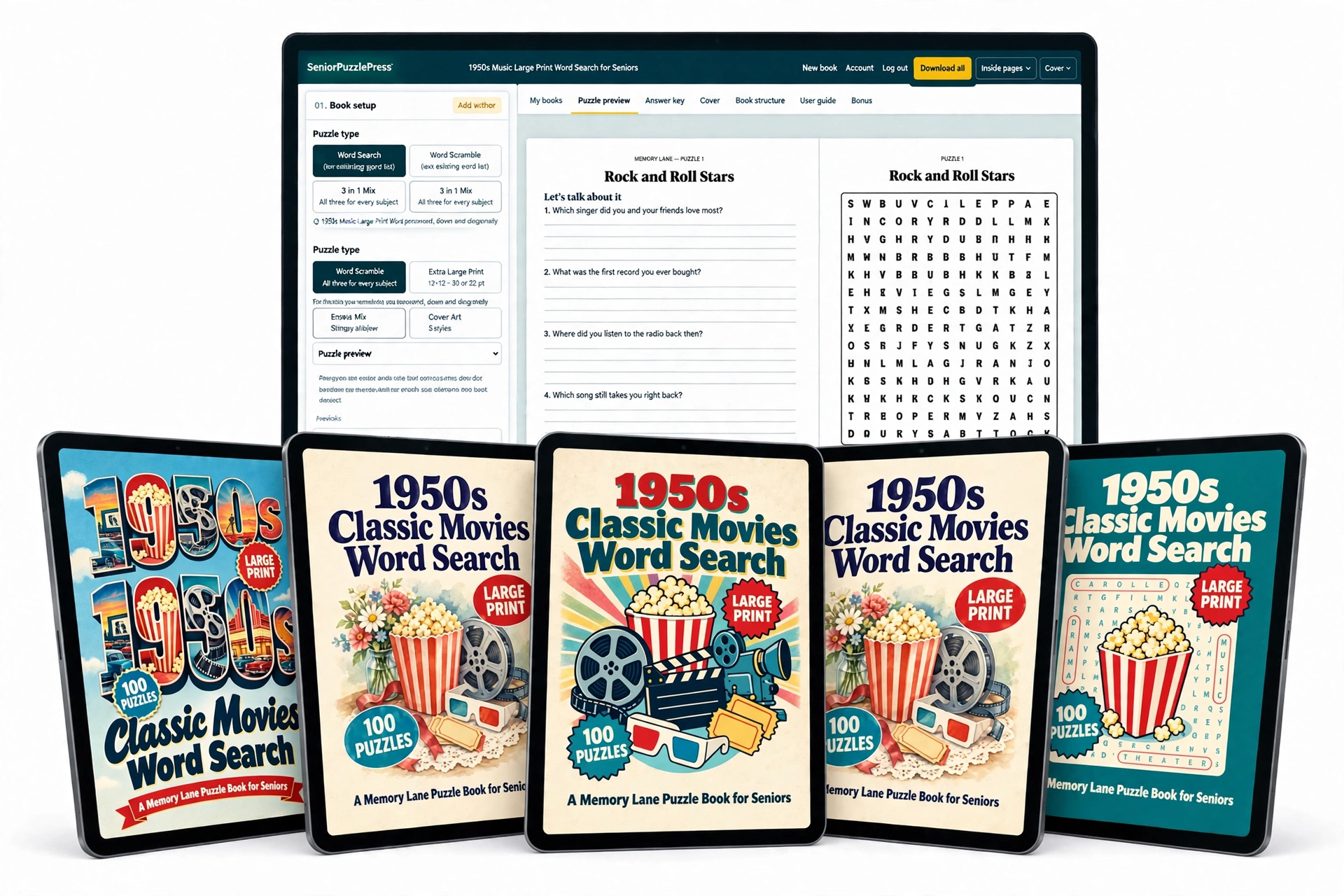
NostalgiaPuzzlePress Extra Large and Cover Art upgrade
1
Your own cover art
5 styles, not a template
2
Extra Large Print
12×12 grids, 30 or 32 pt
3
Two books from one
Same content, a second listing
Yes, Upgrade My Tool: $27
One-time paymentUnlocks in your account30-day money-back guarantee
No thanks, I'll pass on Extra Large Print and my own cover art
The gap

Your Book Is Ready. Three Things Still Hold It Back.

NostalgiaPuzzlePress makes a book families keep. But on Amazon, three things decide how far each book you make can go.
1
The cover looks like the others
The built-in cover is clean and ready to print. But shoppers scroll past dozens of template covers in every search, and the inside of your book only matters once they click.
The fix
Your own cover art in 5 styles
2
For some readers, large print is still small
Some readers still find 24 pt hard to read. Their families go looking for bigger print, and a Large Print book does not answer that search.
The fix
Extra Large Print, 30 or 32 pt
3
One batch of content, one book
You picked the decade, pasted the AI answer and checked every word. All of that work ends up in a single listing.
The fix
The same content, a second edition
Same content. Same tool. One upgrade fixes all three.
Cover Art

Your Book Is Different Inside. Now Make It Look Different on the Shelf.

Pick one of 5 cover art styles, copy the prompt, and make the picture in your AI image tool. Drop it into NostalgiaPuzzlePress and your full KDP cover is built for you: front, spine and back.
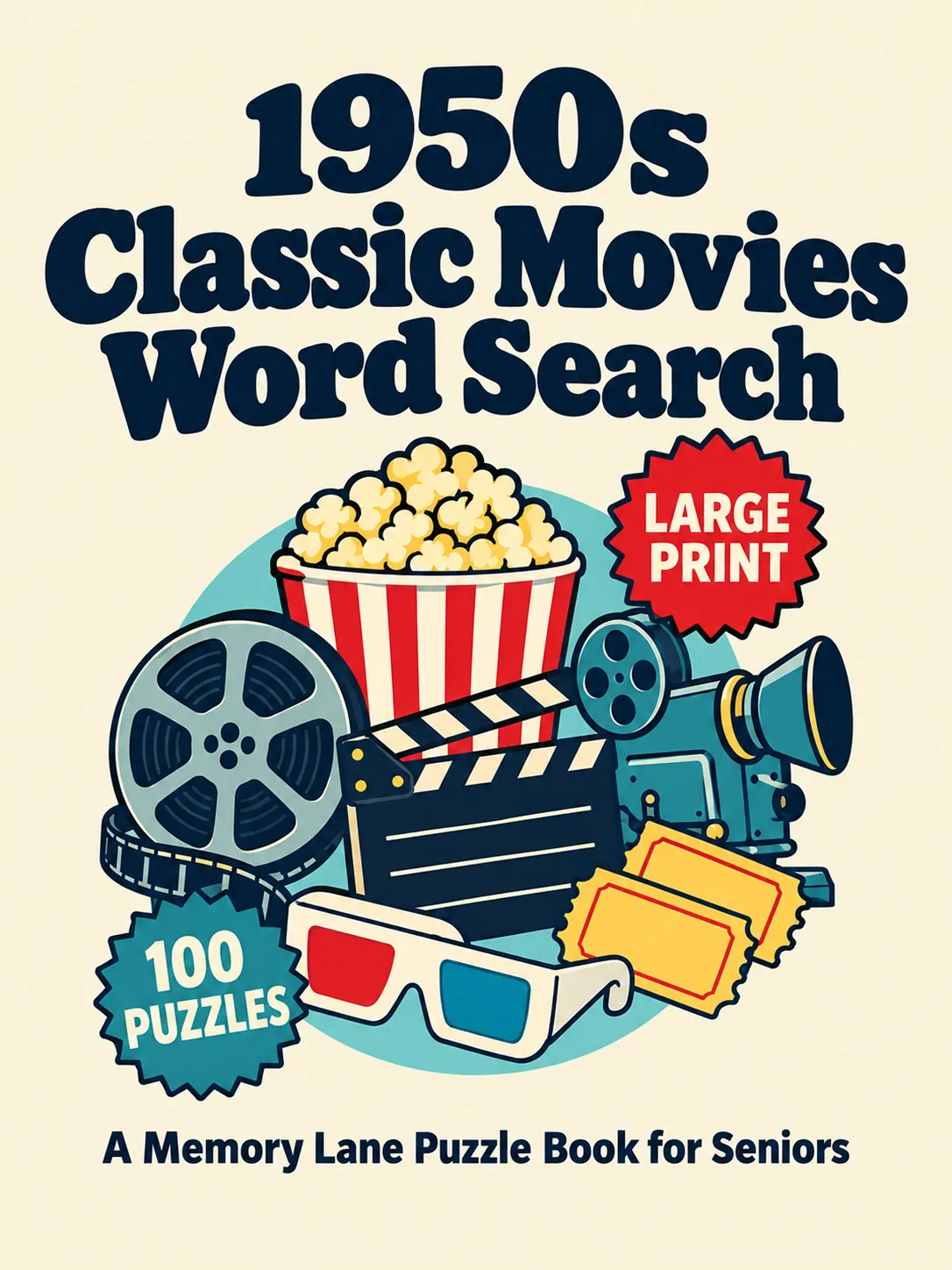
Retro Icon Cluster cover art style
1Retro Icon Cluster
A neat cluster of the decade's best-loved objects in flat retro shapes, on a clean light background.
Best for: toys, kitchen, fashion, decade mixes
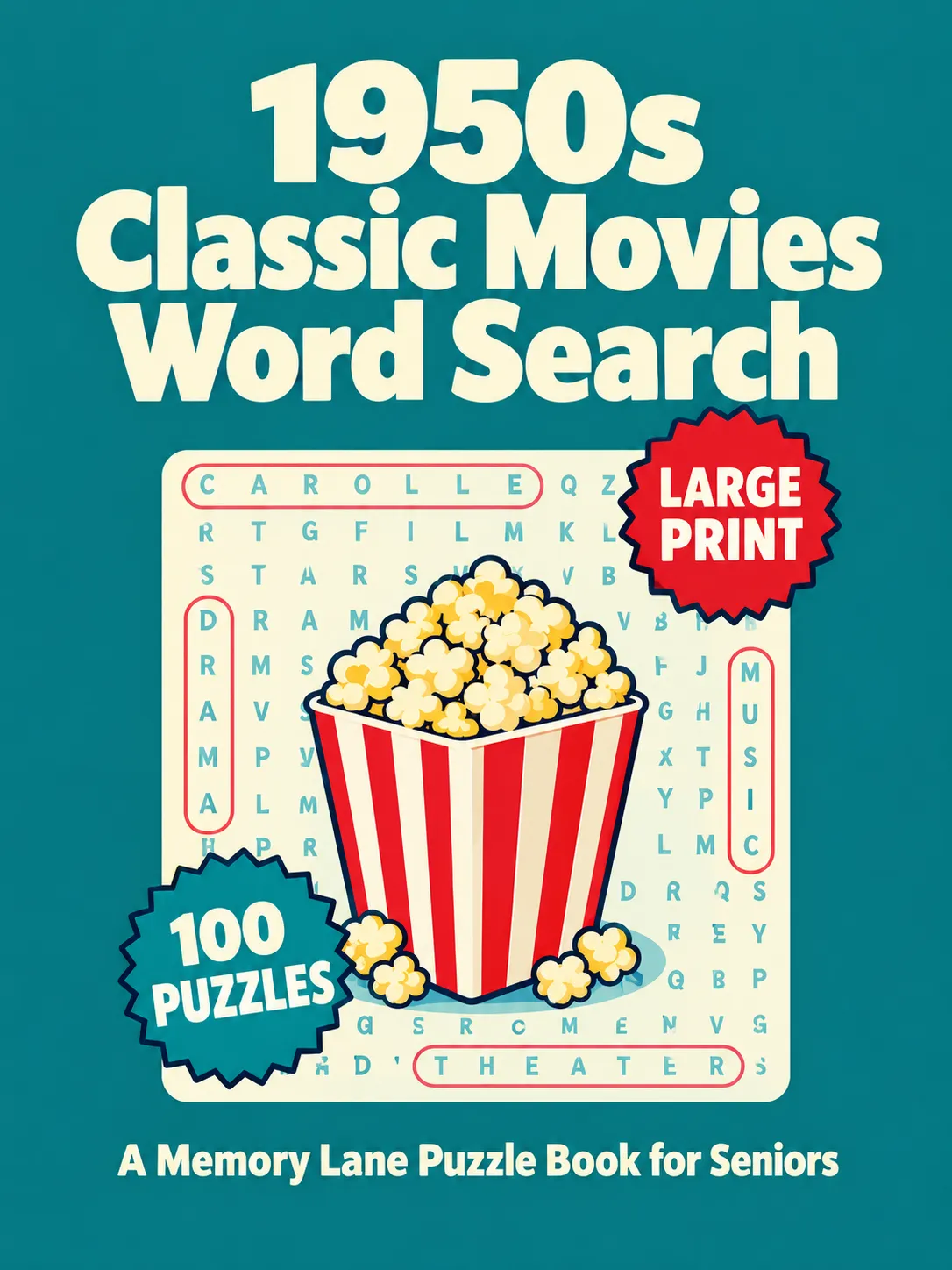
Word Search Grid cover art style
2Word Search Grid
Your theme's main object set on a word search grid, so shoppers see a puzzle book at a glance.
Best for: being spotted as a word search in results
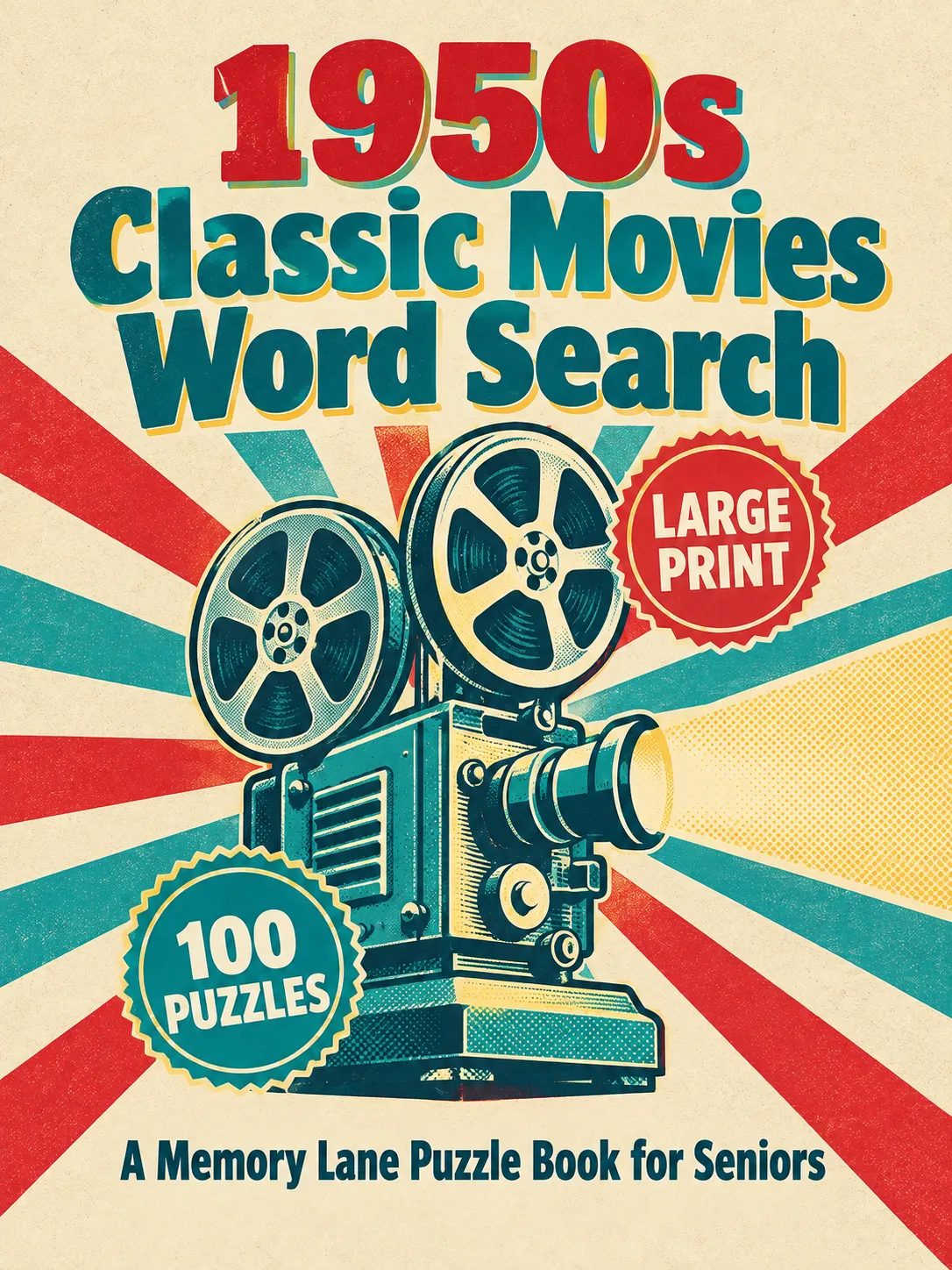
Vintage Screen Print cover art style
3Vintage Screen Print
One big hero object on a sunburst, in the inks and halftone dots of the decade's print ads.
Best for: cars, music, TV, diners
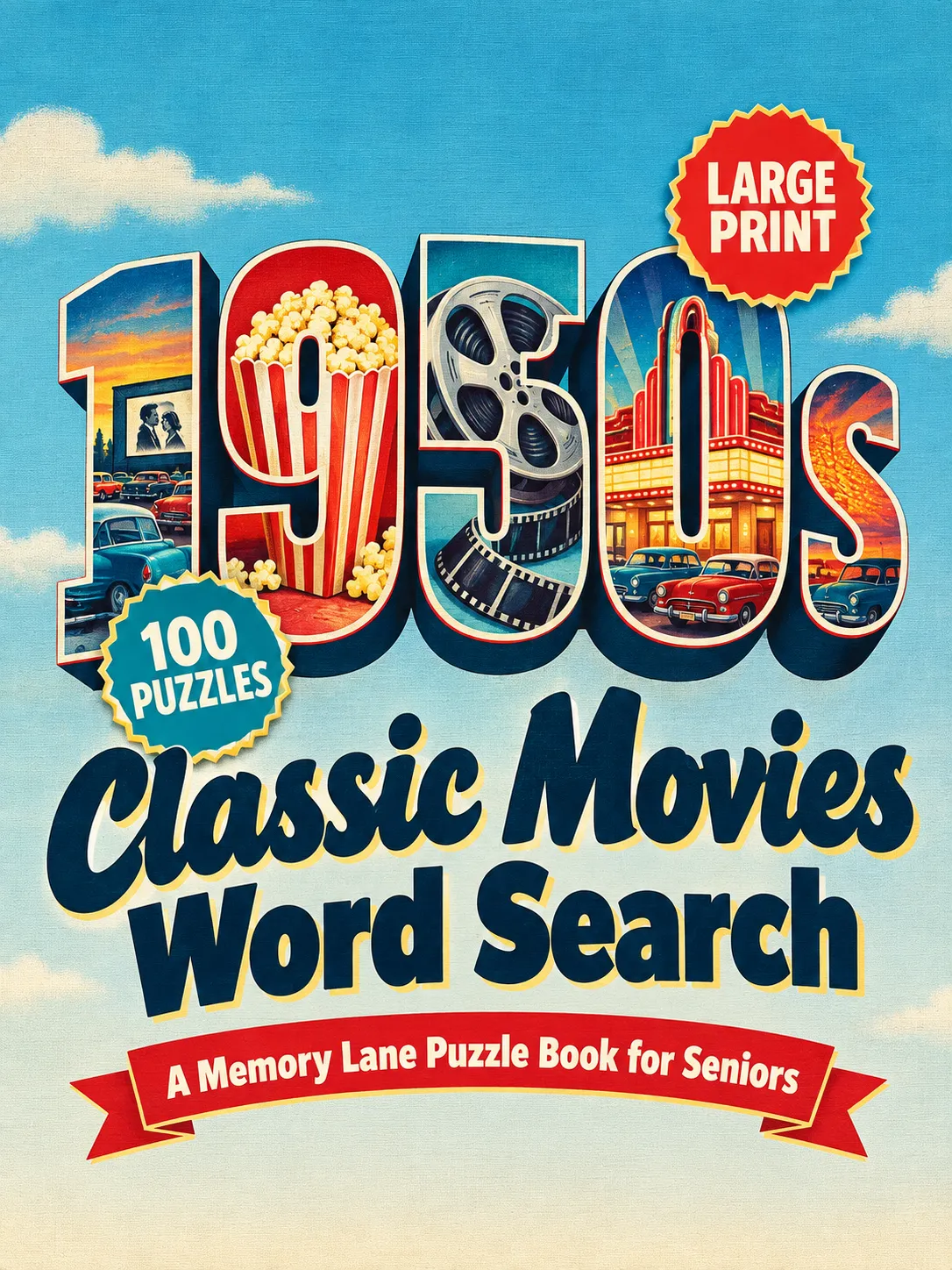
Large-Letter Postcard cover art style
4Large-Letter Postcard
The decade in giant block letters, with a little scene from your theme inside each letter.
Best for: movies, road trips, small town, Americana
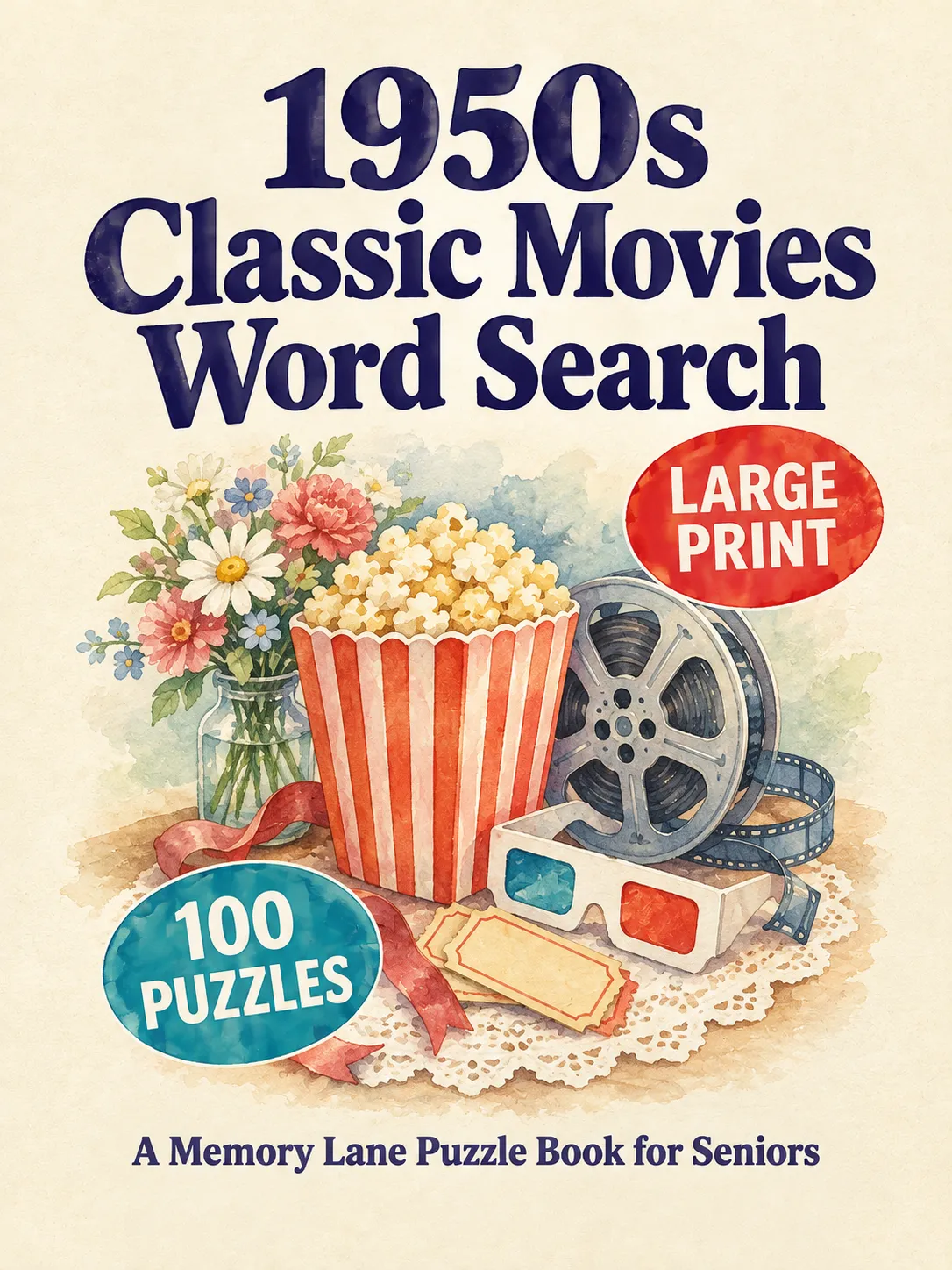
Soft Watercolor cover art style
5Soft Watercolor
A gentle watercolor keepsake on cream paper, with deep, easy-to-read lettering.
Best for: gifts, family, Mother's and Grandparents Day
From Prompt to KDP Cover in 3 Steps
1
Copy the cover art prompt
It already carries your title, subtitle, the Large Print and puzzle-count labels, and the 3:4 shape.
2
Make the picture
Paste the prompt into your AI image tool and save the picture you like.
3
Drop it in, download
The tool trims it, raises it to 300 DPI and joins front, spine and back at the exact KDP size.
Hiring a designer
Cover Art
Cost per book
From $35, front only
Included, every book
Spine and back
Extra, needs your page count
Built for you from your page count
Waiting time
Days, plus revisions
The same sitting
Don't like it?
Pay for another round
Make a new picture, drop it in
What you need: an AI image tool such as ChatGPT to make the picture. The tool writes the prompt and builds the cover; the picture itself comes from your image tool.
Extra Large Print

For the Readers Who Still Find Large Print Too Small

Some readers want the letters bigger still, and their families go looking for it. The Extra Large Print edition gives them fewer, bigger squares on every page, from the same content you already pasted.
Large Print
Included
14 × 14 grid · 24 or 26 pt letters
Extra Large Print
This upgrade
12 × 12 grid · 30 or 32 pt letters
Everything grows with it
The word list and the Memory Lane pages get bigger type too, not just the grid.
Still easy to solve
Words run across, down and diagonally. None are backwards.
A gift with a clear reason
For the family whose mom or dad says large print is still too small.
One switch in step 01. The same book, in print big enough for the readers who need it most.
Two books from one

One Batch of Content. Two Listings on Amazon.

You already did the hard part: the decade, the theme, the AI answer, the word check. Switch the edition in step 01 and the same puzzles and Memory Lane pages become a second book, with its own title, cover and listing.
Done once
Your pasted content
Puzzles and word lists Memory Lane questions Subtitle and back cover text
Book 1
1950s Diners & Drive-Ins: Large Print Word Search
14 × 14 grids · 24 or 26 pt
Book 2 · This upgrade
1950s Diners & Drive-Ins: Extra Large Print Word Search
12 × 12 grids · 30 or 32 pt
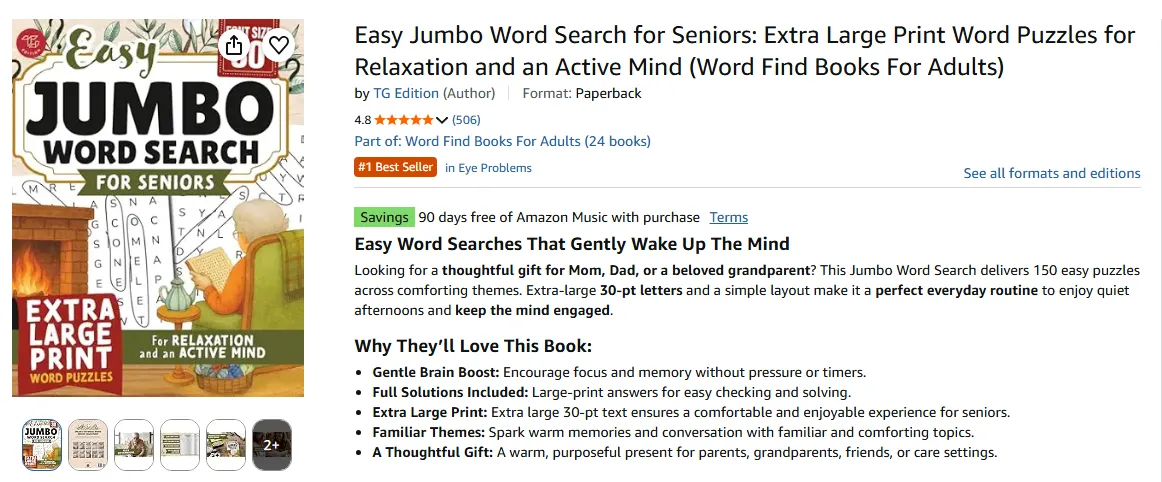
Amazon search results for extra large print word search books
Shoppers Search for It by Name
"Extra large print word search" is its own search on Amazon, with its own results. A second edition puts your book in front of those shoppers too, instead of leaving that search to someone else.
6books
×
2editions
=
12listings
No new research. No new paste. Every book you make can now be two.
How it works

Two Small Switches in the Tool You Already Use

Nothing new to learn. The upgrade adds options to the same steps you just used to make your first book.
1 Step 01 · Book setup
Switch the edition
Choose Extra Large Print under Edition. Your puzzles, word lists and Memory Lane pages are laid out again in bigger print.
Your second book is ready to preview
2 Step 04 · Cover design
Pick a cover art style
Choose My cover art, pick one of the 5 styles and click Copy the cover art prompt. Paste it into your AI image tool.
A 3:4 picture made for your title
3 Drop · Download
Drop it in and download
Drop the picture into the tool. It is trimmed, raised to 300 DPI and joined with the spine and back. Download the interior PDF and cover PDF.
Ready to upload to KDP
Same tool, same steps. A second edition and your own cover art in one sitting.
Everything you unlock

Two Upgrades, One Price

Both unlock in your NostalgiaPuzzlePress account the moment you upgrade, and work on every book you make.
Part 1
Extra Large Print
Extra Large Print edition
A new choice under Edition in step 01
12 × 12 grids, 30 or 32 pt letters
Fewer, bigger squares on every page
Bigger word lists and Memory Lane pages
The whole book grows, not just the grid
No backwards words
Across, down and diagonally only
Title follows the edition
Your cover and title page say Extra Large Print
Part 2
Cover Art
5 cover art styles
Retro Poster, Pattern, Scene, Watercolor, Bold Minimal
A ready prompt for every style
With your title, puzzle type and number of puzzles
Drop, paste or choose your picture
3:4 works best, 2:3 works too
Trimmed and raised to 300 DPI
Print quality without an image editor
Full KDP cover built for you
Front, spine and back at the exact size, as PDF, PNG or JPG
Free bonus
Decade Cover Style Guide
Pick the right cover style for every decade and theme, and test your cover at thumbnail size before Amazon shoppers see it.
$297 $27
Yes, Upgrade My Tool: $27
One-time paymentUnlocks in your account30-day money-back guarantee
Everything you unlock

Two Upgrades, One Price

Both unlock in your NostalgiaPuzzlePress account the moment you upgrade, and work on every book you make.
Part 1
Extra Large Print
Extra Large Print edition
A new choice under Edition in step 01
12 × 12 grids, 30 or 32 pt letters
Fewer, bigger squares on every page
Bigger word lists and Memory Lane pages
The whole book grows, not just the grid
No backwards words
Across, down and diagonally only
Title follows the edition
Your cover and title page say Extra Large Print
Part 2
Cover Art
5 cover art styles
Retro Icon Cluster, Word Search Grid, Vintage Screen Print, Large-Letter Postcard, Soft Watercolor
A ready prompt for every style
With your title, subtitle, Large Print and puzzle-count labels
Drop, paste or choose your picture
3:4 works best, 2:3 works too
Trimmed and raised to 300 DPI
Print quality without an image editor
Full KDP cover built for you
Front, spine and back at the exact size, as PDF, PNG or JPG
Free bonus
Decade Cover Style Guide
Pick the right cover style for every decade and theme, and test your cover at thumbnail size before Amazon shoppers see it.
Yes, upgrade my tool for $27
One-time paymentUnlocks in your account30-day money-back guarantee
No thanks, I'll pass on Extra Large Print and my own cover art
Upgrade bonus

Pick the Right Cover, and Check It First

Your cover is the first thing a shopper sees, at the size of a postage stamp. This bonus makes sure the cover art you make is the right style, and still works that small.
Free bonus
Decade Cover Style Guide
Pick the right cover style for every book, and check it before Amazon shoppers see it.
$49 value, yours free with this upgrade
Opens inside NostalgiaPuzzlePress, in your Bonus tab, the moment you upgrade.
1
Style picker
Choose your decade and theme. See which of the 5 cover art styles to use, a second choice, and what the picture should show.
2
How each decade looks
What a true 1940s, 1950s… 1990s cover looks like, so you can spot an AI picture that missed the era.
3
Theme guide
Some themes have one star object, others a collection of small things or a gift feel. Match the style to that shape.
4
Thumbnail tester
Drop in your cover and see it at product page, search result and phone sizes, and in black and white.
5
Cover rules that sell
What must be readable at thumbnail size, and the AI picture mistakes to check before you publish: misspelled words, stray text, warped objects, a border around the cover.
Upgrade today

Stand Out on the Shelf, and Make Two Books From One

One price. No subscription. Unlocks in the account you already have.
Everything included
Upgrade 1 · Extra Large & Cover Art
This page only
Extra Large Print edition: 12 × 12 grids, 30 or 32 pt
Bigger word lists and Memory Lane pages
A second listing from every book you make
5 cover art styles, your own cover art
A ready cover art prompt for every style, title and labels filled in
Picture trimmed and raised to 300 DPI
Full KDP cover built for you: front, spine and back
Cover download as PDF, PNG or JPG
Bonus: Decade Cover Style Guide
One-time upgrade price
$297 $27
One payment · Yours to keep · No monthly fees
Yes, Upgrade My Tool: $27
Secure checkout via WarriorPlus
Unlocks in your account One-time payment No subscription 30-day money-back guarantee
Frequently asked questions

Questions About the Upgrade?

Do I need NostalgiaPuzzlePress first?
Yes. This upgrade adds Extra Large Print and Cover Art to the NostalgiaPuzzlePress tool you just bought. It does not work on its own.
How do I get it after I upgrade?
Log in to the same account. Extra Large Print appears under Edition in step 01, and My cover art appears in step 04. The Decade Cover Style Guide opens in your Bonus tab.
Which AI image tool do I need?
Any tool that makes a picture from a text prompt, such as ChatGPT. Ask for a 3:4 picture; 2:3 works too, with a little more trimmed off the top and bottom.
What if the AI spells a word wrong on the cover?
The prompt gives the AI every word letter for letter, so most pictures come out right. Still, read your title before you drop the picture in. If a word is off, ask your image tool for a new picture and drop that one in instead.
Can I switch a book I already made to Extra Large Print?
Yes. Open it from My Books, change the edition in step 01, and the same puzzles and Memory Lane pages are laid out in bigger print. If the book uses your own cover art, copy the prompt again and make a new picture, so the cover says Extra Large Print.
Is the Extra Large edition a separate book on Amazon?
Yes. You publish it as its own paperback with its own title, cover and listing, next to your Large Print edition.
Can I still use the built-in cover?
Yes. Built-in cover and My cover art sit side by side in step 04. Pick either one for any book.
Is this a subscription?
No. You pay $27 once, and the upgrade stays in your account.
What if it's not for me?
You are covered by our 30-day money-back guarantee. Email us within 30 days of purchase for a full refund.